DisclosureWe may earn a commission when you buy through links on this page. This doesn't affect our recommendations. Learn more
How to choose and set up an indoor TV antenna
A research-based guide to checking tuner compatibility, location, cabling and return terms before buying and setting up an indoor TV antenna for free local broadcasts, with the NovaWave Antenna as one example.
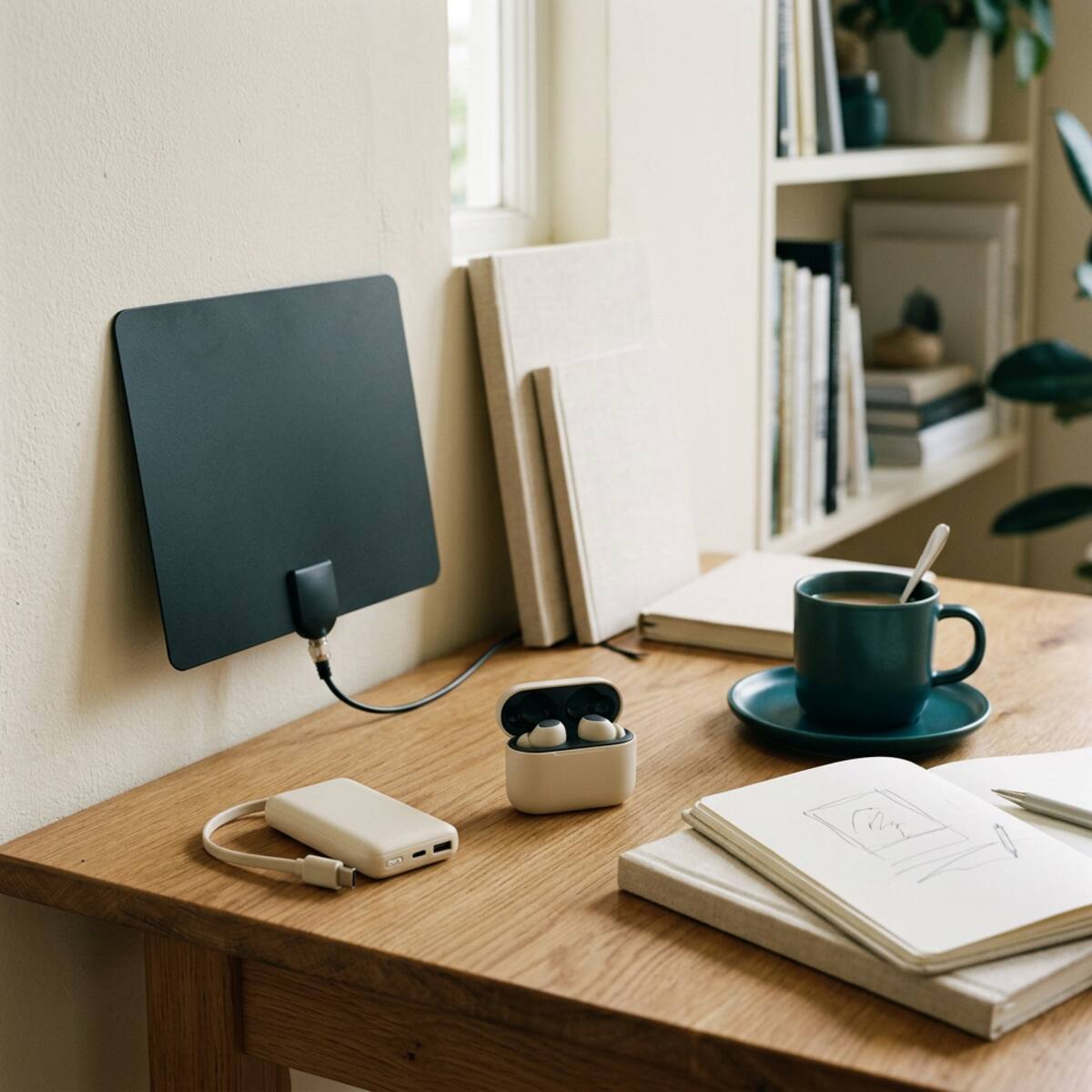
An indoor TV antenna is a simple device with a narrow job: it picks up free local over-the-air broadcasts and passes them to your television. Whether that works well depends less on the antenna's marketing and more on your address, your building and your TV. This guide explains what to compare, how to set one up, and when you are better off keeping what you already have.
What an indoor antenna can and cannot do
An over-the-air antenna receives local broadcasts only. It does not provide streaming subscriptions, cable networks or pay-TV channels, and it does not make apps work faster or better. The channels you can receive depend on your location, local terrain, the distance to the transmitters and the tuner inside your television or set-top box.
Because of those variables, no seller can honestly promise a particular channel list. Treat any guarantee of specific channels or picture quality as a reason to ask more questions.
How this guide was prepared
This is a research-based guide. It draws on product descriptions and general information about how over-the-air reception works. We have not independently tested the product mentioned here, so nothing below should be read as measured performance. Check current specifications and the return policy yourself before buying.
Comparison criteria that matter
Tuner compatibility
Your TV needs a built-in digital tuner, or you need an external tuner box. Check the TV manual or settings menu for an antenna or air input and a channel scan option. If a TV has no tuner, an antenna alone will not produce a picture.
Your location and the building
Distance from transmitters, hills, dense buildings and wall materials all affect reception. A window facing the broadcast towers is usually a better starting point than an interior wall. Upper floors often fare better than basements, though results vary. Public coverage maps from broadcasters or regulators can give a rough idea of which stations serve your area.
Cable and connection
The antenna connects by coaxial cable to the ANT IN socket on the TV. It does not connect through HDMI, which is for sending video from devices such as game consoles or streaming boxes. Check that the included cable is long enough to reach a window from the TV without being stretched tight.
Placement flexibility
Compare how the antenna mounts, whether it needs a window, wall or flat surface, and how visible it will be in the room. A design that can be repositioned easily makes experimenting simpler.
Return policy and documentation
Since reception cannot be predicted, a clear return window and a plain-language specification sheet are worth more than extra feature claims. Keep the packaging until you are satisfied with the channel results.
NovaWave Antenna: where it fits
The NovaWave Antenna is described as an indoor over-the-air antenna that connects by coaxial cable to a television's ANT IN socket. The guidance is to mount it near a window and then run the TV's channel scan. The description also states plainly that available broadcasts depend on location, terrain, transmitter distance and TV tuner, and that it does not provide streaming subscriptions or pay-TV channels. We have not tested it, so what follows is based on that description.
Pros
- No streaming subscription is needed to watch the over-the-air broadcasts that are available where you live.
- The setup described is simple: coax cable, window placement, channel scan.
- The description is candid about its dependence on location and tuner, which helps set realistic expectations.
Cons
- Reception varies. You may receive many channels, few, or none, depending on your situation.
- A compatible tuner is required. A TV without one needs a separate tuner device.
- It does not replace streaming or pay-TV services if you rely on them for particular channels.
Who it may suit
It may suit someone who mainly wants local news, weather and general broadcast programming, has a TV with a built-in tuner, and can place an antenna near a window. It may also suit a shopper comparing everyday technology who is comfortable testing placement and returning the product if results disappoint.
Who should not buy it
Skip it if you expect guaranteed channels or a specific sports package. Skip it if your TV has no tuner and you do not want another device. It is also a poor fit if you want cable channels or subscription apps, or if your home is far from transmitters, in a deep valley or in a heavily shielded building and you will not accept the chance of poor results.
Setup and ownership considerations
- Check the tuner first. Look for an antenna input labeled ANT IN or similar on the back of the TV.
- Connect the coax cable from the antenna to ANT IN and tighten the connector by hand.
- Place the antenna near a window, ideally on the side facing the broadcast towers, and keep it clear of large metal objects and electronics where possible.
- Switch the TV input to antenna or TV and run the channel scan from the settings menu.
- Review the results. If channels are missing, move the antenna a short distance, rescan and compare. Small changes in height and position can matter.
- Rescan occasionally, since broadcasters sometimes change frequencies or add channels.
For basic safety, route the cable so it does not cross walkways or create a trip hazard, and do not hang the antenna where it could fall or interfere with opening a window.
Questions to ask a seller
- What is the return window if reception is poor at my address?
- Does the antenna require power, or is it passive? If a power source is involved, what does it use?
- How long is the supplied coax cable, and what connector does it use?
- Does the listing state any range figure, and under what conditions was it measured?
- Which TV tuner standards does it work with, and does my TV need a separate tuner?
- What does the warranty cover, and who handles support?
Alternatives to buying now
Before purchasing, consider what you already own. An older antenna, a leftover cable run or an existing wall outlet might work, and many TVs offer a free scan option to see whether any signal is arriving. Broadcaster coverage maps can show which stations serve your area. If your goal is particular programming, a streaming service or the broadcaster's own free app may cover it without any hardware. Keeping existing equipment is reasonable if your current setup already delivers what you watch.
Practical decision guidance
Start with three checks: does your TV have a tuner, which local stations does a coverage map suggest you can receive, and can you place an antenna near a window? If the answers are yes, an indoor antenna such as the NovaWave Antenna is a low-commitment experiment, provided the return policy is clear and you keep the packaging until you have run a full channel scan. If the TV has no tuner, the window is blocked or you want subscription channels, spend your time on a different solution. Decide based on your own address and viewing habits rather than on promises of coverage.
Our coverage is research-based, not hands-on testing. Source product descriptions have not been independently tested; verify the current seller specifications before purchase. See our Editorial Policy.
Keep reading
More in Tech & Gadgets
Useful car accessories, without the big promises
A research-based look at three car accessories (an OBD-II code reader, a slim power bank and a portable tire inflator), with comparison criteria, limits, seller questions and alternatives.
October 26, 2026
Everyday tech worth a closer look in 2026
A research-based look at three everyday tech accessories (a photo backup stick, a TV headset and a slim power bank) with comparison criteria, pros and cons, seller questions and alternatives.
October 26, 2026
Pack smarter: a practical travel gadget guide
A research-based guide to three travel gadgets, the Aerless vacuum packing kit, the Ryoko portable hotspot and the ChargeCard power bank, with pros, cons, compatibility checks, seller questions and alternatives such as using what you already own.
October 26, 2026
The Sunday Shortlist
A short list of useful finds. Zero hype.
Occasional emails, mostly reading, sometimes a link. Unsubscribe any time.